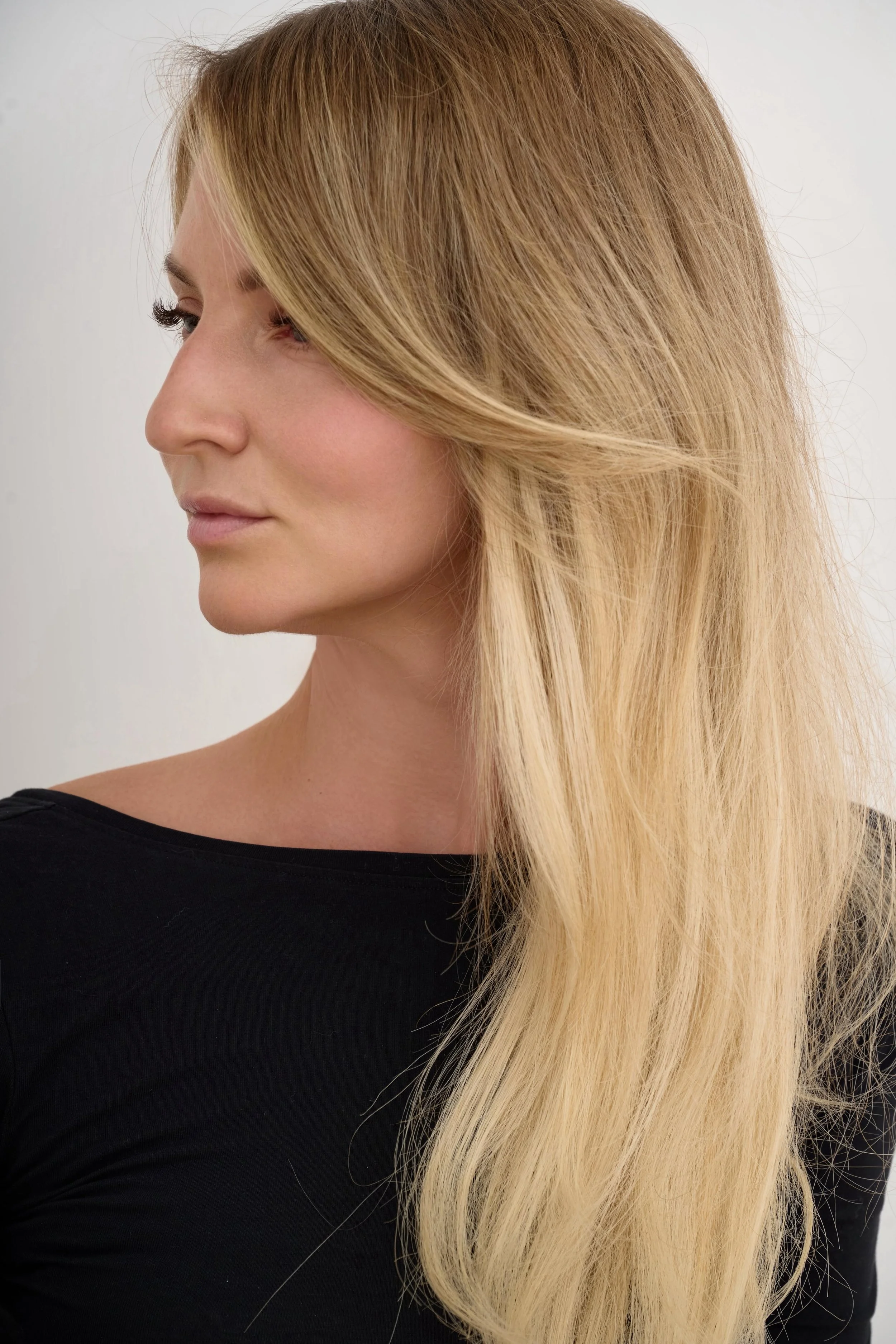
I've been using Evoto AI for over a year and have exported more than 3,000 images, according to my Evoto account statistics. As a commercial photographer specialising in portraits, beauty and jewellery-on-model photography, I've had plenty of opportunities to test what the software can - and can't - do.
Evoto is a useful tool, and it has certainly saved me time. But I've also encountered some frustrating limitations, particularly with partially visible faces, AI Lab credits and skin retouching.
In this article, I'll share the main Evoto problems I've experienced, how I work around them, and what I'd recommend checking before buying a subscription.
Evoto's main limitations at a glance
If you're considering Evoto, here are the six things I'd pay attention to:
Face detection: Evoto can struggle with partially visible faces, which is particularly frustrating for close-up beauty and jewellery photography.
AI Lab credits: Some AI features charge you for generating results, not just exporting images.
Overly smooth skin: Retouching can sometimes look artificial.
Batch editing errors: Applying the same settings across multiple images can occasionally produce unexpected results.
Internet connection: Evoto relies on online processing for its AI editing workflow.
Limited manual editing: For detailed, precision retouching, I still need Photoshop.
Let's look at these in more detail.
1. Evoto struggles with partially visible faces
One of the biggest limitations I've encountered is Evoto's face detection, particularly when working with close-up jewellery and beauty images.
When only part of the face is visible
Evoto sometimes fails to recognise a face altogether when only part of it is visible.
You can try manually marking where the face is, which occasionally solves the problem. But other times, the software either doesn’t recognise face at all or recognises only a tiny area - such as the mouth or chin - as the entire face. As a result, face retouching either doesn't work or is applied to the wrong area.
The real frustration is the time wasted trying to fix it, especially when you're editing a large batch of commercial images.
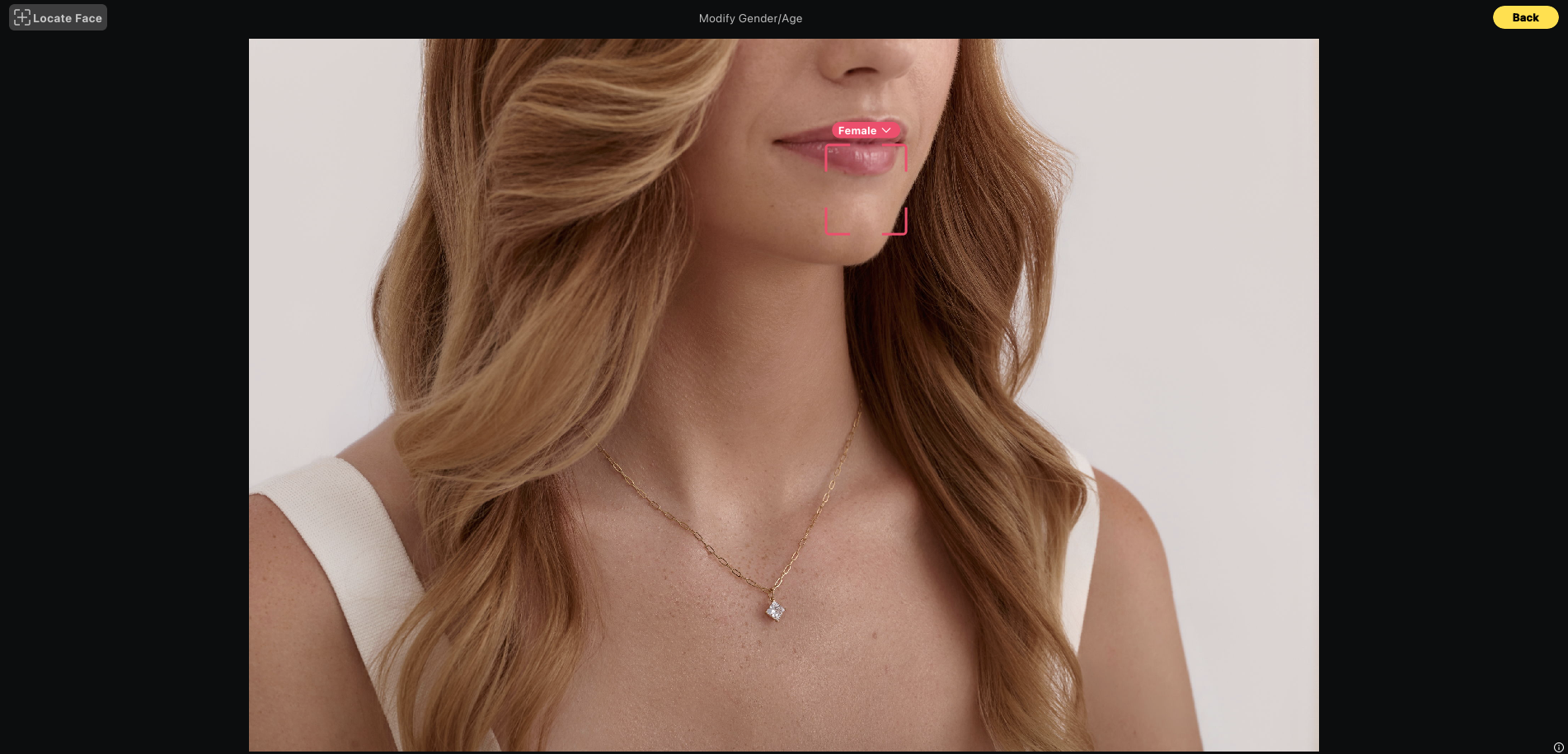
Evoto struggles sometimes to detect partially visible faces, recognising only a small area.
What happens when there's no face in the image?
Interestingly, Evoto usually handles body retouching quite well, even when the face is completely out of frame.
For example, in one of my jewellery close-ups, it correctly detected the model's hand, allowing me to use Hands Refinement, but failed to recognise the small visible area of her chin. I ended up retouching that part manually in Photoshop.
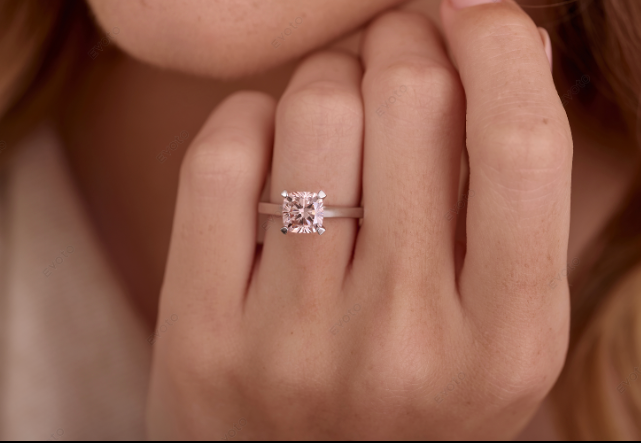
This is an important distinction: Evoto doesn't necessarily need a visible face to recognise and retouch the body. The problem tends to arise when a small part of the face is visible but isn't properly detected.
My tip: If Evoto fails to detect a partially visible face automatically, I try manual face detection. If that doesn't work either, I move straight to Photoshop rather than spending more time fighting the software.
2. Evoto AI Lab credits work differently from normal editing
This is something I wish I'd understood earlier because AI Lab doesn't follow the same credit system as Evoto's standard retouching tools.
With most regular retouching features, you can move sliders, experiment with settings and preview your results without spending credits. Credits are generally deducted when you export the final image.
AI Lab works differently. Many of its tools charge credits each time you generate a result, even if you decide not to use it.
For example, when I tested the Belly Slimming feature, it cost me 2 credits to generate a result. If I hadn't liked it and wanted to try again, another generation would have required more credits.
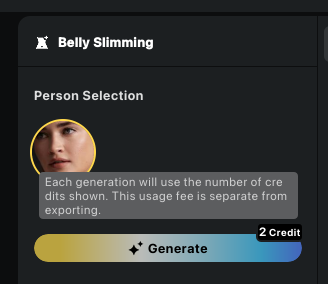
The cost also depends on which AI Lab feature you're using. When I checked on 5 November 2026, Belly Slimming cost 2 credits per generation, while e.g. Clothing Moiré Removal cost 0.1 credit. And there is a proper section of different AI functions to try.
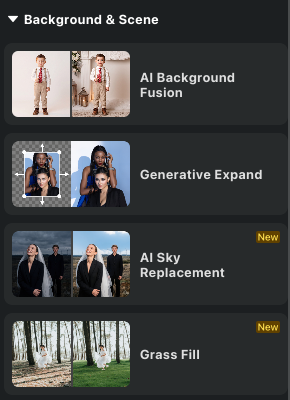
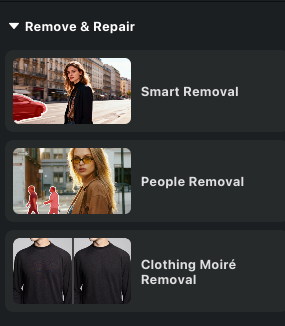
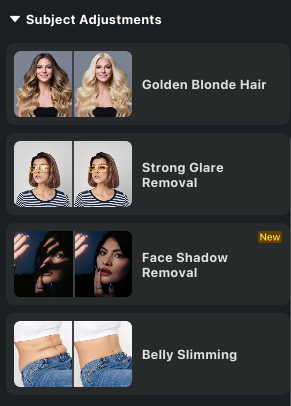
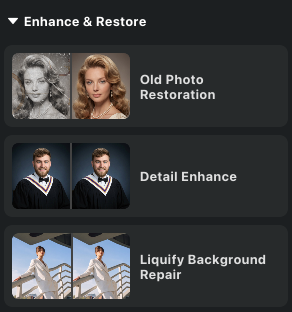
That might not sound like much, but if you're experimenting with several versions across multiple images, those credits can add up.
Some features have different export rules, so check the current credit information displayed in Evoto before using them.
I don't want to put you off AI Lab altogether. Some of its features can produce excellent results, and I can see how useful they might be in certain situations.
Just keep three things in mind:
Check the credit cost before clicking Generate.
Remember that experimenting with multiple versions can use additional credits.
Check whether any further export charges apply to your chosen workflow.
What about AI Colour Adjustments?
Unlike the generative AI Lab tools, Evoto's standard AI colour adjustments generally let you experiment with the results before exporting.
3. Skin retouching can look overly smooth and artificial
Like most AI retouching tools, Evoto can sometimes make skin look too smooth, particularly in images that aren't perfectly sharp.
And for me, as someone who photographs a lot of beauty close-ups, preserving natural skin texture is extremely important.
I generally prefer to keep the skin-smoothing sliders relatively low and focus more on evening out skin tone rather than simply making everything smoother.
My advice is to zoom in and check the skin carefully, especially around the eyes, nose, lips and areas where the lighting creates strong highlights or shadows.
And this is purely my personal opinion, but I still haven't found a single AI retouching tool that can fully match the precision and judgement of a skilled professional retoucher.
AI has improved enormously, and it's certainly useful for speeding up the process. But in high-end beauty photography, the difference between beautifully retouched skin and plastic-looking skin often comes down to very small details.
4. Evoto batch editing still needs checking
One of Evoto's biggest advantages is the ability to sync retouching settings across multiple images. For photographers dealing with large batches, this can be a massive time-saver.
However, don't assume every image will turn out perfectly just because the settings worked well on the first one.
I've had Evoto completely remove a model's nostrils in some shots and create random little orange spots on the skin in others.
Apparently, AI has decided that nostrils are sometimes optional! 😄
These things don't happen to every image, of course, but they are worth watching out for.
My tip: Always compare the before-and-after versions, ideally at 100% zoom, before delivering images to your client.
For jewellery photography, I also pay particular attention to product details. You don't want retouching to accidentally soften the edges of a ring or remove a detail that's actually part of the product.
After all, we're supposed to make the jewellery look its best, not redesign it!
5. Evoto requires an internet connection
Another limitation worth considering is Evoto's reliance on cloud-based AI processing.
In my experience, an internet connection is necessary for Evoto's AI retouching workflow, which isn't particularly convenient if you're travelling or working somewhere with unreliable Wi-Fi.
For comparison, Reblum AI offers offline editing, which can be useful if you regularly work without internet access.
This might not be an issue for photographers who always edit from their studio or home office, but it's something to consider depending on your workflow.
6. Evoto doesn't replace Photoshop for advanced retouching
I keep seeing photographers claim that AI retouching tools have made Photoshop unnecessary.
Personally, I strongly disagree.
Evoto can be excellent for speeding up initial retouching, but it doesn't offer the same level of manual control as Photoshop.
For example, I regularly need to:
Make precise skin adjustments using layers and masks.
Retouch small imperfections without affecting surrounding textures.
Do all the product retouch.
Correct specific areas that AI tools haven't recognised properly.
These are particularly important in commercial beauty and jewellery photography, where small details make a big difference to the final result.
For me, AI is an excellent assistant, but it isn't a complete replacement for professional retouching.
Is Evoto worth buying? My verdict
Despite the limitations I've mentioned, I still use Evoto regularly.
For portraits where the face is clearly visible, it can save me a considerable amount of time, especially when editing large batches of images.
However, for beauty close-ups, jewellery-on-model photography and images where only part of the face is visible, I find it less reliable.
And although some AI tools produce impressive results, I wouldn't recommend relying on Evoto alone for high-end commercial retouching, where precise control over skin texture, colour and product details is essential.
My recommendation? Try Evoto on the types of images you actually shoot before committing to any subscription.
Don't just test it on a few straightforward portraits. Include the awkward crops, close-ups, challenging lighting situations and different skin textures you regularly encounter in your work.
That's the best way to find out whether Evoto genuinely improves your workflow or simply introduces a different set of problems.
And if you're also considering alternatives, I've written a separate article comparing Reblum AI vs Evoto, with real editing examples and a closer look at their skin-retouching results.
How to try Evoto for free and get additional credits
If you'd like to try Evoto yourself, there are a few ways to experiment with its tools before deciding whether to purchase a subscription.
Throughout November 2026, Evoto is offering users the opportunity to apply for free access to its colour-grading features, including AI-powered colour tools, with unlimited colour-grading exports for one month.
Evoto also offers an official 7-day free trial with 50 free credits, available with selected subscription plans only (not pay-as-you-go packages). Just be aware that your subscription may automatically renew and you'll be charged if you don't cancel before the trial ends, so keep an eye on the cancellation deadline if you're only planning to test the software.
You can also download Evoto through my affiliate link and receive 15 additional free export credits. These credits aren't limited to colour grading - you can also use them to try Evoto's retouching features on your own images.
And if you like the results and decide to continue using Evoto, you can use my promo code JANAK20 for the following discounts:
20% off the 200-credit pay-as-you-go package.
15% off annual subscriptions for first-time subscribers or eligible upgrades.
My suggestion is to make the most of the free credits and trial period by testing Evoto on the types of images you actually shoot. Try some close-up portraits, a batch of images and a few more challenging shots to see how the software performs before spending money.
And if you decide it's not the right tool for your photography, that's useful to know too!
Affiliate disclosure: This article contains an affiliate code. I may earn a commission if you make a purchase using my promo code, at no additional cost to you. All opinions and examples in this review are based on my own experience using Evoto.