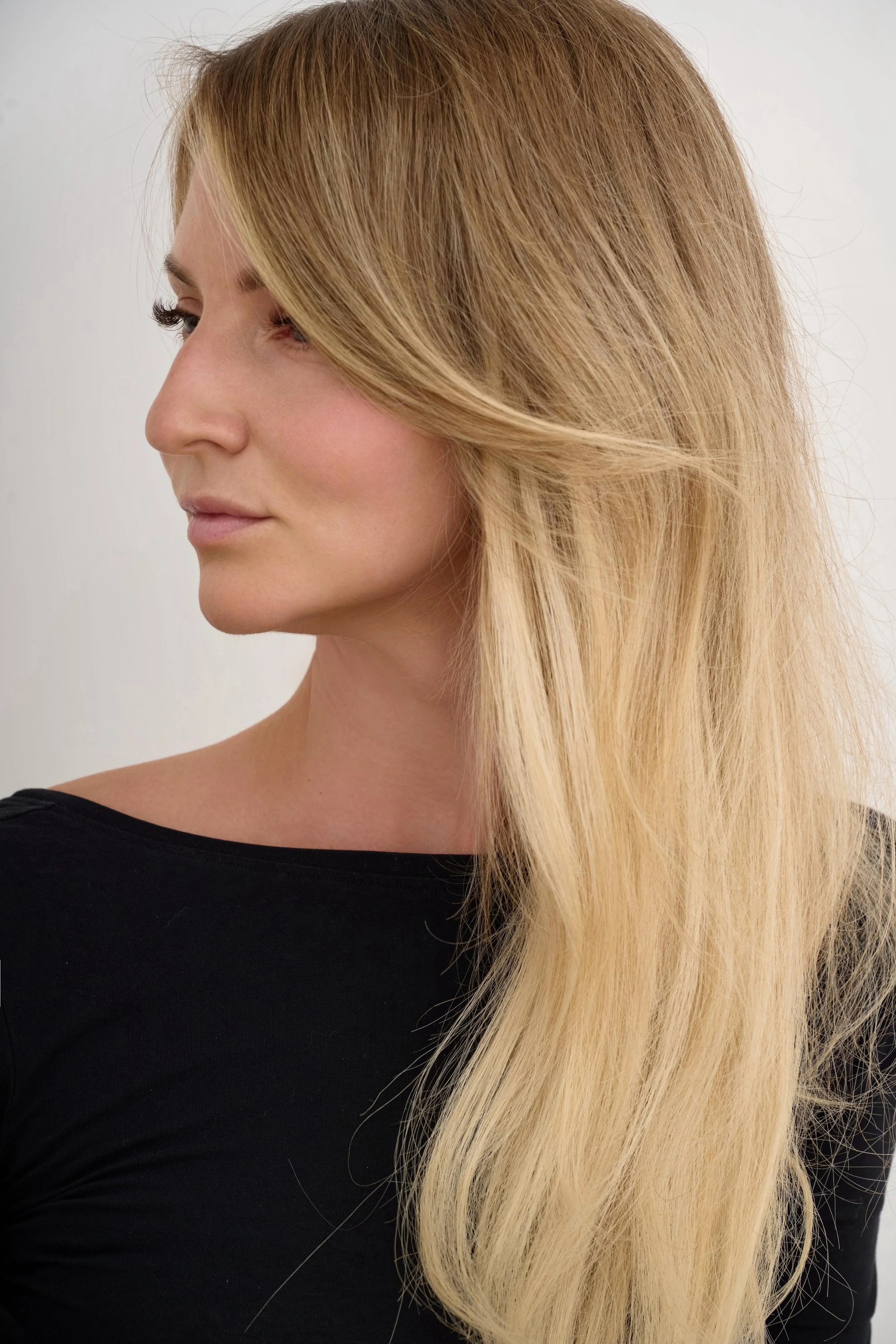
AI retouching has come a long way, and as a commercial photographer who spends a considerable amount of time photographing faces - often very, very close to them - I'm always interested in tools that promise to make skin retouching faster without compromising quality.
That's why I've been testing AI retouching tools, particularly Reblum and Evoto AI, as part of my professional workflow to see which one best meets my needs and delivers the natural-looking skin results I'm after.
Both promise to speed up portrait retouching, and after using them for quite a few months now, both seem to be genuinely useful. However, after using them on different types of commercial photographs, I've noticed important differences in how they handle skin texture and facial details.
In this article, I'll compare Reblum and Evoto from the perspective of a photographer who regularly works with beauty portraits and detailed commercial images.
Reblum vs Evoto: Comparison at a glance
| Feature | Reblum AI | Evoto AI |
|---|---|---|
| Natural skin texture | Better at preserving natural skin texture ✅ | Can easily over-smooth skin |
| Mole recognition | More accurate at recognising and preserving moles ✅ | More likely to mistake moles for blemishes |
| Blemish removal | Effective automatic clean-up | More targeted correction options ✅ |
| Wrinkle removal | Natural-looking results in one click ✅ | More precise controls, but requires individual adjustments |
| Skin retouching controls | Simpler, faster and more streamlined | More detailed and extensive ✅ |
| Face detection (difficult crops) | Generally more reliable ✅ | Manual detection available, but still less reliable |
| Hair and flyaways | No dedicated tools | Dedicated hair-retouching tools ✅ |
| Face and neck retouching | Separate adjustment options available ✅ | Separate adjustment options available ✅ |
| Background clean-up | One-click background clean-up ✅ | Also one-click clean-up with more advanced background controls ✅ |
| Batch portrait retouching | Yes, with unlimited exports ✅ | Yes, with credit-based pricing |
| Editing workflow & speed | Faster retouching with fewer adjustments and natural-looking results ✅ | More editing options, but takes longer to fine-tune |
Based on my hands-on experience with both programs in 2026. Results may vary depending on the image, retouching settings and software version.
The biggest difference between Reblum and Evoto is that Reblum is still primarily focused on skin retouching, making the process quick and straightforward, while Evoto is rapidly evolving into a more comprehensive, all-in-one editing tool. It now offers a much wider range of adjustments, from people and clothing to backgrounds, animals and more. But also because of that - editing in Evoto takes way longer than in Reblum.
That said, neither tool replaces Photoshop for me (yet). I often start my retouching in Reblum or Evoto, but I still finish 100% of my images in Photoshop, manually working on the smaller details that AI doesn't quite get right yet.
Reblum vs Evoto: Comparing Skin Retouching Results
Below, you can see a side-by-side comparison of the results from both tools. The first image is the original file, the second was retouched entirely in Reblum, and the third was edited exclusively in Evoto.
I edited both versions as I normally would in my professional workflow, aiming for clean, natural-looking skin while preserving as much texture as possible.
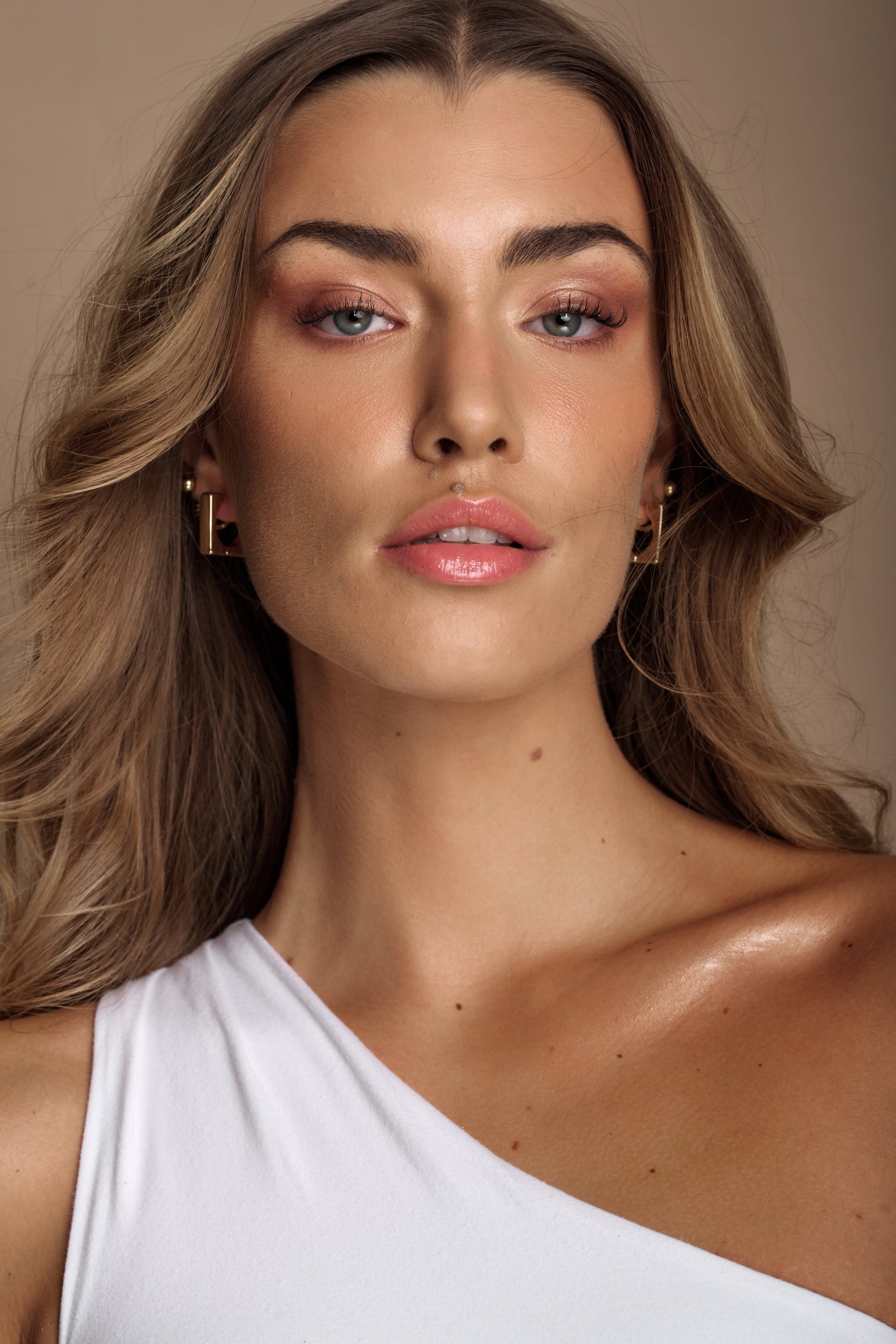
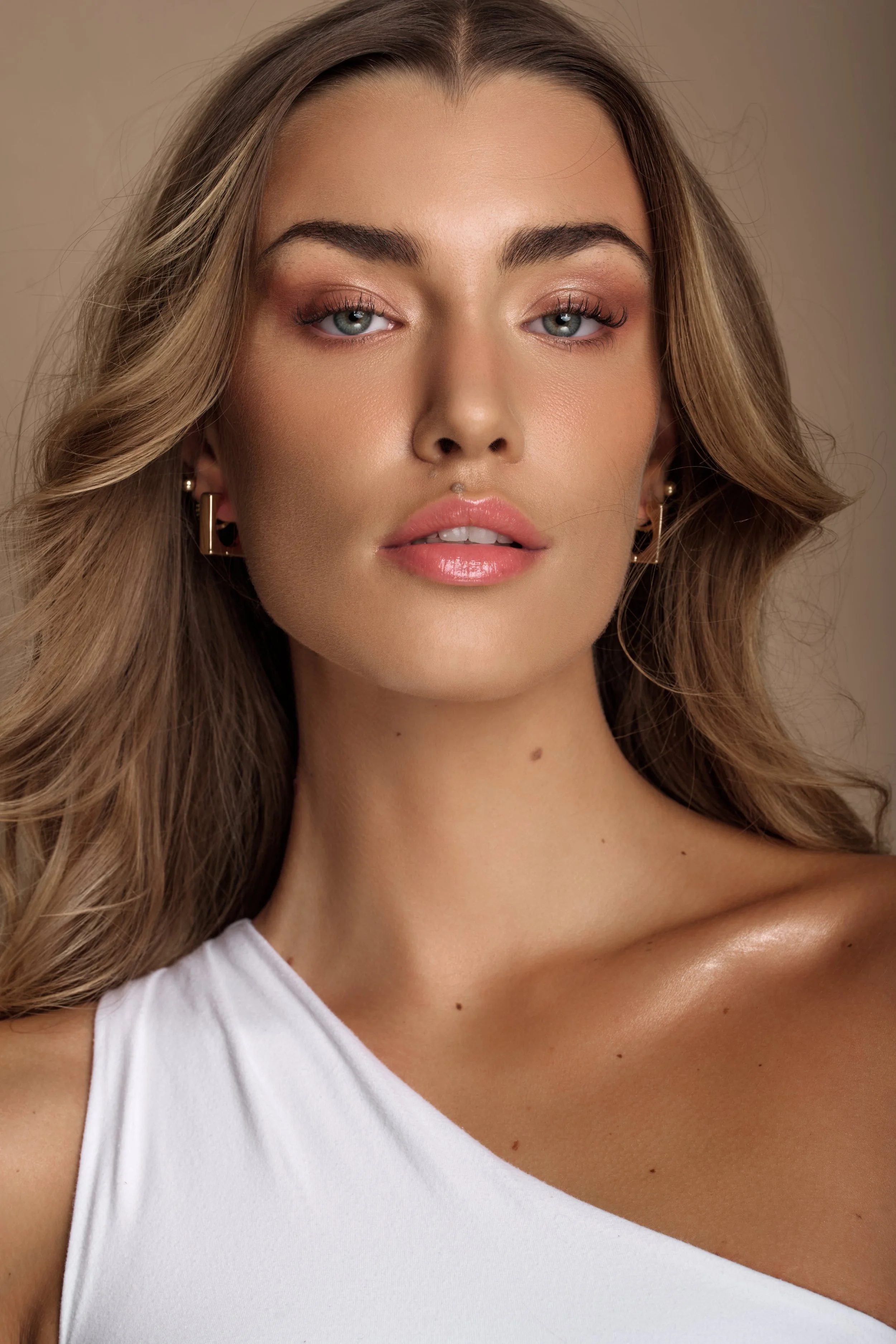
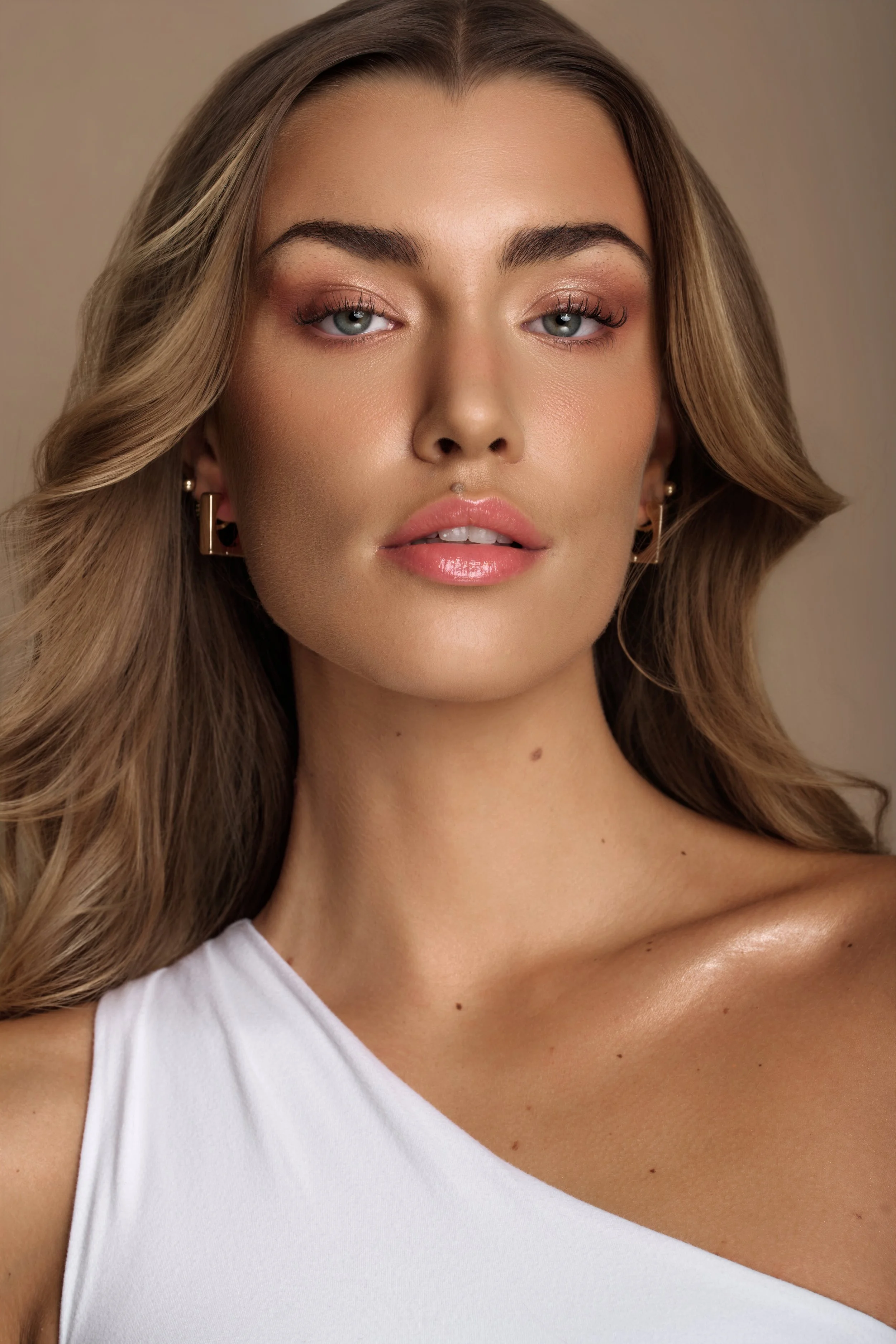
The biggest difference was the time spent retouching. Reblum took me approximately 30 seconds, while the same portrait took around 4-5 minutes in Evoto, as I had to adjust multiple settings individually to achieve the desired result.
Looking closely at the images, you'll notice a few interesting differences.
Both tools attempted to lighten the moles above the model's upper lip. However, Evoto completely removed one of them, despite my careful adjustments to the skin refinement settings.
Evoto also struggled with some smaller skin imperfections, particularly patches of dry skin. Reblum handled these areas more effectively, cleaning up the imperfections while preserving the natural skin texture without excessive blurring.
For this particular portrait, Reblum delivered a more natural-looking result with significantly less manual adjustment.
My next test involved a more challenging close-up portrait, with part of the face cropped out and a hand visible in the frame.
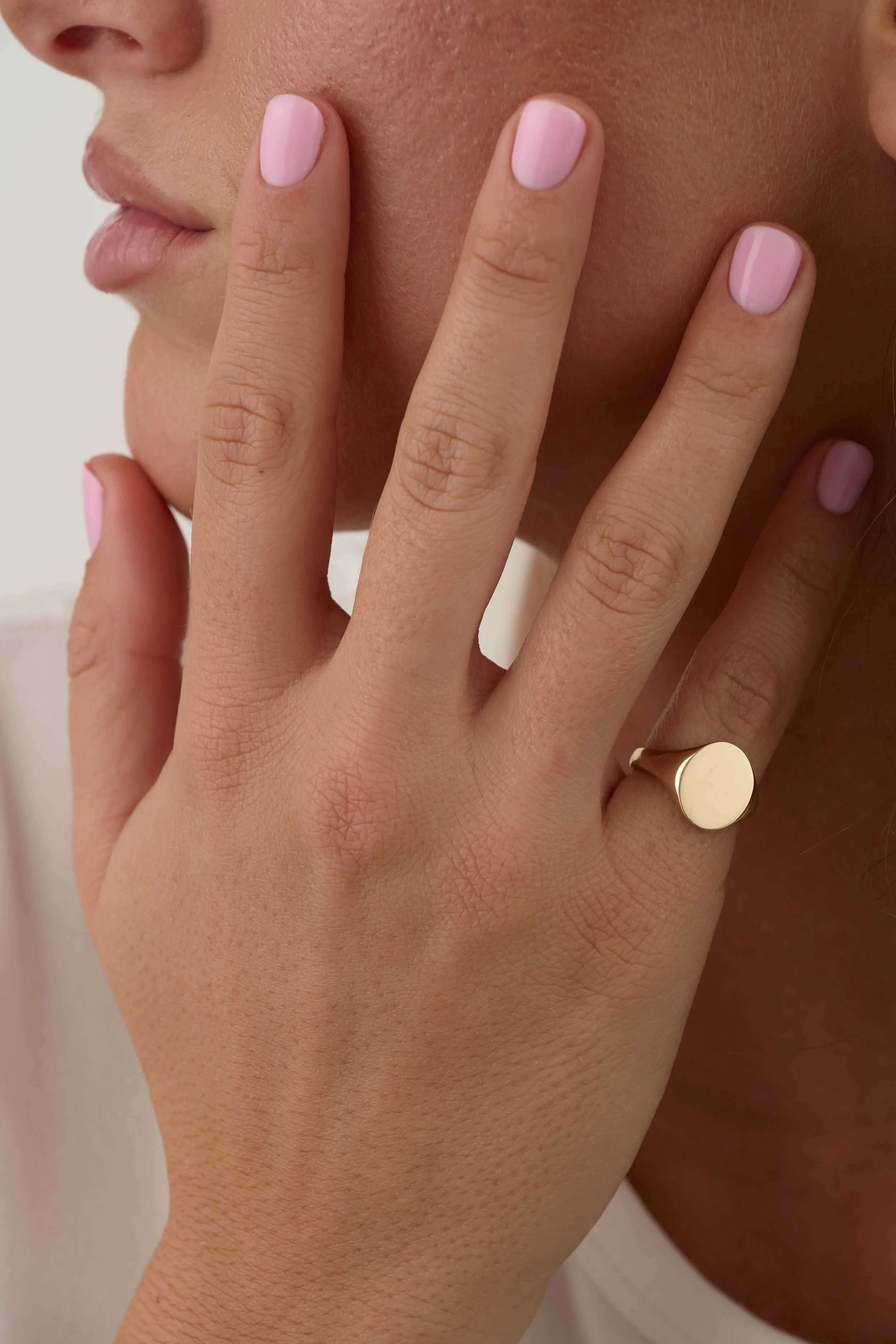
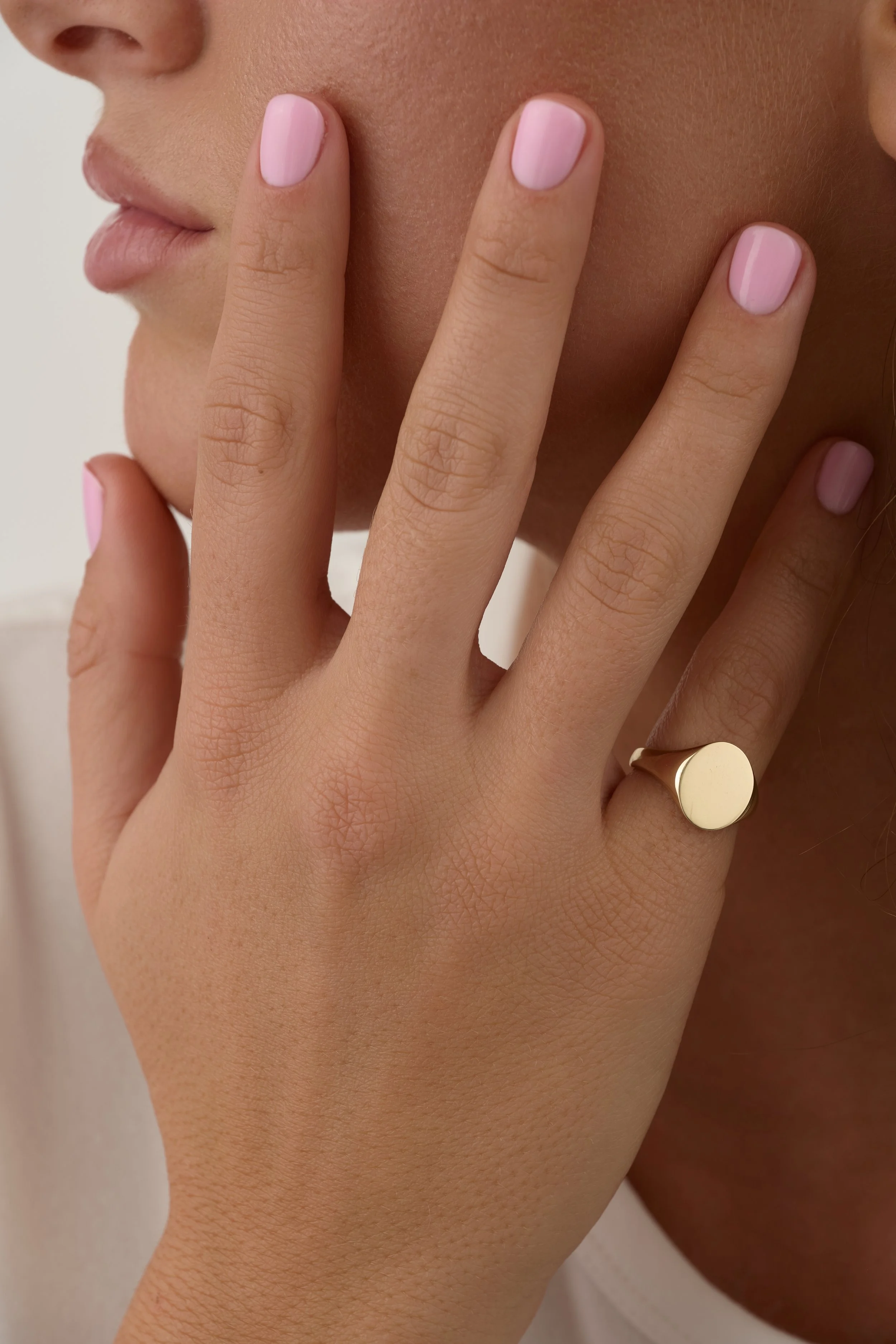
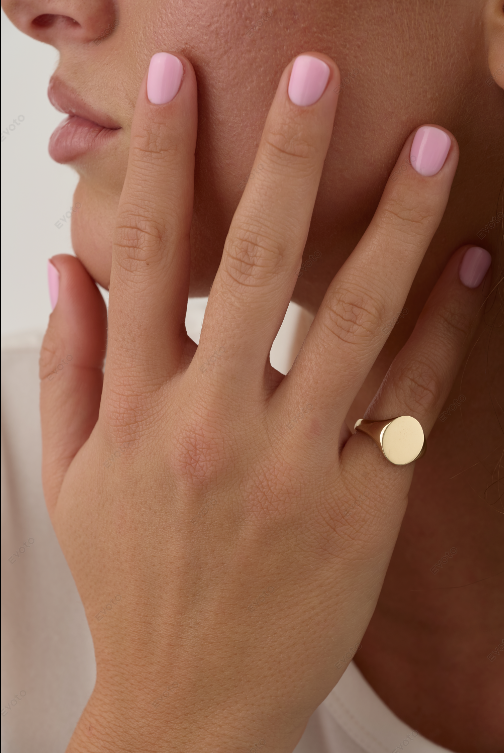
Evoto struggled with face detection and failed to recognise the face automatically. I tried using manual face detection, but it only identified a small area around the model’s lips as the face. As a result, all facial retouching adjustments were applied exclusively to that tiny area, leaving the rest of the facial skin untouched.
Interestingly, Evoto recognised the hand correctly, allowing me to retouch it separately using the dedicated Hands editing section.
Reblum handled this image much better. It successfully identified the relevant skin areas across both the face and hand, applying the retouching consistently without requiring any manual intervention.
For this particular close-up, Reblum was the clear winner, especially in terms of skin detection, consistency and ease of use.
When I Use Reblum vs Evoto
When I Use Reblum
Reblum is usually my first choice when:
I have a large batch of photographs to retouch.
The images are mainly close-up beauty portraits where natural-looking skin is my priority.
I want good results quickly, without spending too much time adjusting individual settings.
When I Use Evoto
I generally prefer Evoto for half-body and full-body photographs, especially when:
I need more extensive background clean-up or want to even out the backdrop lighting.
The image requires adjustments beyond skin retouching.
I'm working with a relatively small batch of images.
Where Both Tools Still Fall Short
Precise local adjustments: One limitation I find frustrating is the lack of the masking control I need for certain AI corrections. For example, AI can sometimes mistake natural moles for blemishes and remove them. Without the ability to selectively restore those details within the tool, I have to export the image and use layer masks in Photoshop.
Jewellery and small product retouching: I frequently photograph jewellery and small products, such as skincare bottles, alongside models. So far, I haven't found an AI tool that can reliably handle the detailed jewellery retouching I need. This part of my workflow remains entirely manual.
My Tip for More Natural AI Retouching
I know it’s absolutely obvious but… The better your original photograph, the better your AI retouching results. That’s it!
My Quick Verdict
For quick natural-looking skin retouching, I personally prefer Reblum. For more detailed portrait editing, including hair, facial adjustments and clothing, Evoto clearly offers a wider range of tools.